May 7th, 2008 | firefox tips & tricks, tips & tricks | 1 Comment
I use firefox web browser every where, at my office pc, on my home desktop pc and as well on my laptop.
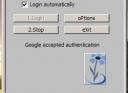
I always wanted to sync up my firefox on all these locations automatically, including my firefox bookmarks, browser settings ,add ons so I don’t have to configure my firefox at all these places etc.
So. I decided to google out the ways for syncing up my firefox browser with my google account.
Basically there are certain things which needs to be in sync like firefox settings , its bookmarks, browsing history etc.
Let’s cover them one by one
→ continue reading
May 5th, 2008 | announcements | 2 Comments
After facing some issues , finally we were able to move Technix Update from the old web host ( lunarpages.com ) to the server with new web host ( zzhosting.com ).
As the lunarpages offered to us upgrade our account from basic hosting to vps hosting with an approximate amount of 600$ excluding the cost for moving the data from the server which is 75$ per hour job for them. All these charges forced us to change our web host.
For those who are interested in reading, let me tell you guys the story in detail.
On the weekend( 3 and 4th may ) we decided to move Technix Update which is the largest site of our group, from the shared server on lunarpages , due the repeated warnings from the lunarpages admin team that our account ( which has three sites mobiletipstricks.com , technixupdate.com , troublefixers.com) was using too much resources which is far beyond the acceptable limit in terms of CPU usage, RAM usage and MSQL etc.
Basically this was the first time for both us, to move our blog and we did not know the procedure do’s and don’t, so first we studied across the web for any type of info regarding this, also consulted with some of the friend blogger’s .
Time 12:30 pm 4th may:
We take the blog database backup , and entire public_html folder as we don’t want to take any kind of risk on Saturday 3rd May in the night.
→ continue reading
May 1st, 2008 | tips & tricks, windows hacks | 1 Comment
We have just received a query from Kashish a techie reader of Technix Update, who wants to use his CPU and RAM by ending up all the non relevant process, but ending process helps?
Yes, it helps a lot in speeding up your system but key factor is you need to know which process to end in your task manager process list.
Let’s discuss about mdm.exe, and how important is it for windows
→ continue reading
Apr 27th, 2008 | how to tutorials, tips & tricks, windows hacks | 2 Comments
I have been using winamp from a long time as a music player, it is I think the best player which is free also, but initially when I use winamp for the first time I found a issue in it.
Let me tell you how does it happen.
I used to enqueue some songs from different directory locations ,and issue arises when accidentally I double click on any .mp3 file due to which all the playlist which I collected in winamp got evaded in seconds and the only songs which remain there is that on which I have accidentally double clicked. It may have happened to you some time if you have used winamp.
Let’s see why this happens and how can we correct it.
→ continue reading
Apr 23rd, 2008 | tips & tricks, internet hacks & tips | 1 Comment
Yesterday, gmail my inbox was flooded with large number of mails, most of them were comments , TroubleFixers.com readers computer related problems etc.
But I was having a short time to read them they were more than hundreds in numbers, and even after using gmail handy keyboard shortcuts I was not productive enough.
After than I was trying to find out a different way to browse through large number of mails in gmail in some quicker way.
Then, I remembered the google experimental search which I had used some time back to navigate through results in google.
Here comes the key-point that is if you activate google experimental search into your google account , you can automatically use those keyborad shortcuts into gmail if you have gmail on that account.
Let’s see how can you use google experimental shortcuts in gmail
→ continue reading
Apr 20th, 2008 | how to tutorials, tips & tricks | 4 Comments
Recently I came across a cool web application called PicLens, after reading a an article on TechnoSpot.net
What is PicLens?
PicLens is a browser extension or add on which instantly transforms your browser into a full-screen, 3D experience for enjoying photos and videos across the web.
In other words it a different way to view pictures on web specially the 3d experience and the navigation power it provides is awesome. ( as shown in the image below)
PicLens can be used to view photo’s on various image sharing sites like Flickr, FaceBook, Google Images, Picasa Web Albums etc. It supports almost all the famous browsers including FireFox , Safari , Internet Explorer etc.
After experiencing Piclens I was curious to see the images stored on my hard disk and got to know that PicLens does not support it.
Then I tried some tweaks to open pictures on my hard disk with piclens, and suddenly one of them works, I was able to view the pictures in folder on my hard disk with piclens.
Let’s see how can you do it. I made this work on firefox
→ continue reading